Settings
1.Copy and create a folder for your master Clips on your editing drive
2. Create a folder for your PR project and proxies
3. Launch Premiere
4. Create new project
5. Name your project and choose the folder location for your project
6. Choose scratch disk location if different from project
7. Select ingest settings and click ingest
8. Select the tab to create proxies and choose preset to select the proxy resolution
9. Select proxy destination and select your proxy folder
Create Proxies
1.Create a new bin for your master files and rename your bin
2.Locate the Media Browser and find the master clips
3.Drag clips into the master clip bin
√ Media encoder will open and create the proxy clips to your proxy folder
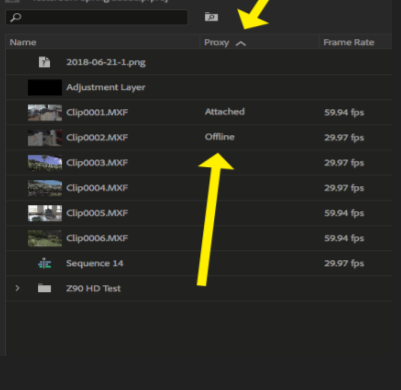
√ To verify the proxies check the metadata display (right click) settings and make sure the proxy settings are checked
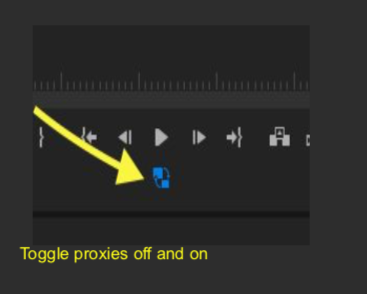
To verify that the proxies are attached, check the proxy meta data display. To turn proxies off and on toggle the proxy icon. Blue is on.