Sharing Methods
There are many ways to share your creative assets with Wipster! With each of the different ways to share, you will either choose to send as a private email or create a shareable link. The notifications people receive will depend on which of these two methods you use.
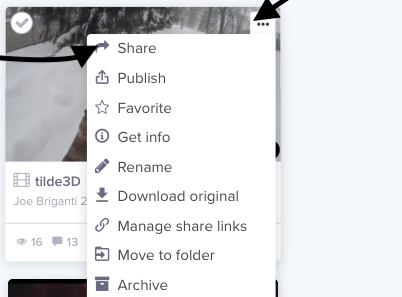
First Click on the upper left corner of the clip.Then select share.
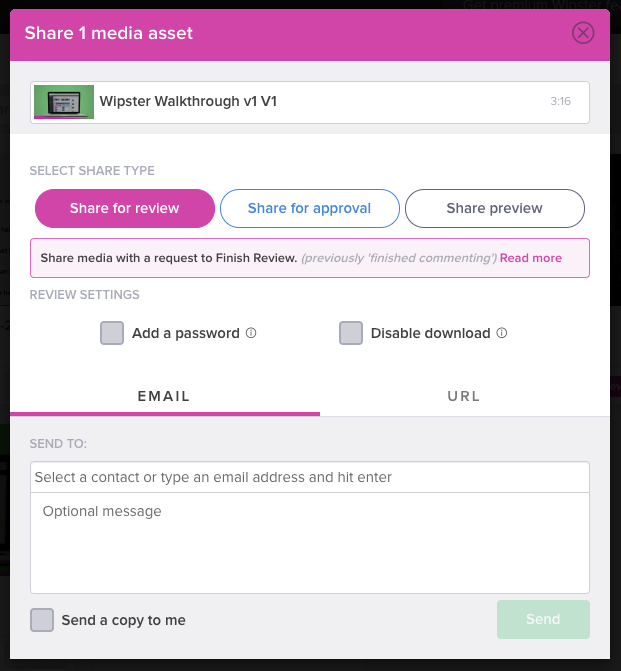
When you select share, a share asset window will appear.Select the method of sharing, e-mail or url.E-mail will send a private link, a url a shareable link. Add e-mail to the person that you are sharing your asset with and any message.